Solution · Group members
Group members as contacts on every phone: sales, field service and on-call teams, distributed on purpose
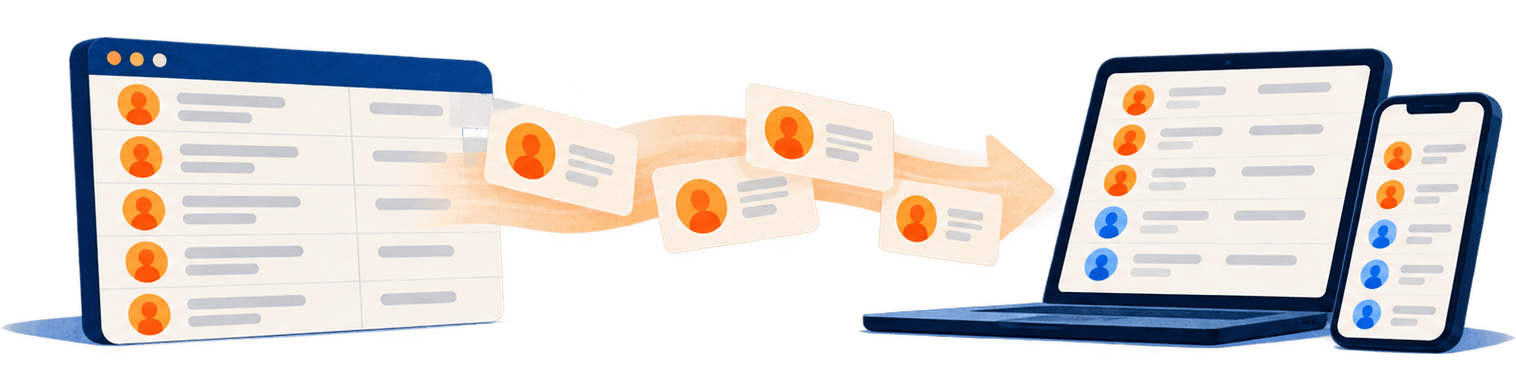
Sales, field service, on-call duty, management: the teams exist as groups in Microsoft 365, maintained in one place. None of it reaches the smartphone. GALYNSKI turns a group into a contact source: its members land as contacts with exactly the colleagues who need to call them, updated daily, with no extra app and no device management.
The problem: groups live in the directory, calls happen on the phone
A Microsoft 365 group, a security group or a distribution list knows its members. Outlook shows them, Teams shows them. None of the members, however, exists as a contact in the mailbox, and only what is stored as a contact in the mailbox reaches the phone. When dispatch calls the field service, the screen shows a number. The same gap as with the global address list, just for a smaller group.
What the built-in options can do and where they stop
| Option | What it does | Where it stops |
|---|---|---|
| Open the group in Outlook and show its members | Shows the current member list while you write an email. | Online only, Outlook only. The phone app and caller ID see nothing. |
| Address book policies | Show each user only a section of the global address list. | A directory stays a directory: none of it ends up as a contact on the phone. |
| Contact group in your own Outlook contacts | A personal list of members, assembled by hand. | Every person maintains it themselves. Nobody updates new and departed colleagues. |
| Your own script (PowerShell, Microsoft Graph) | Reads the members and writes them as contacts with an application permission. | Needs maintenance for changes, deletions, duplicates and throttling. Microsoft has been blocking EWS-based scripts gradually since 1 October 2026, and entirely from April 2027 at the latest. |
What breaks in day-to-day operation with scripts is described in the post Contacts to all mailboxes via PowerShell: what breaks.
How GALYNSKI distributes a group
- Connect. An administrator grants GALYNSKI admin consent in the tenant once. The app works with application permissions and without any user passwords. Which permissions those are and what for is on How GALYNSKI works.
- Choose the source. Source “Members of a group”, search for the group, done. Supported are Entra ID security groups, Microsoft 365 groups and distribution groups with an email address, dynamic ones included. Nested groups are resolved, duplicate memberships are counted only once.
- Choose the recipients. All users or specific groups. Within one address book every person gets one card, even if they come through several sources.
- Nightly run. In the window from 02:00 to 05:00 local time, GALYNSKI writes the members as contacts into the address book’s folder in the recipients’ mailboxes: name, email, job title, department, mobile and landline number, company, office, business address. Rooms, resources and members without an email address are left out.
- Onto the device. The folder appears by itself in Outlook on the computer and in the Outlook app. The contacts reach the contacts app and caller ID through the Outlook app: on Android with “Sync Contacts”, on the iPhone with “Save Contacts”. No extra app, no MDM profile. More in the guide Company contacts on Android.
- Keeping up. Anyone who joins the group is on the phones of all recipients after the next run. Anyone who leaves it disappears from the address books on the phones. Personal contacts stay untouched.
What teams use this for
- Customer service has every sales rep in the address book, without sales receiving the service list.
- Dispatch reaches the field service with a name on the screen, even on the road.
- On-call duty and the IT emergency team are on every company phone, current after every shift change in the group.
- Test first, then everyone: a small group as recipients first, then all users.
Limits, stated plainly
- Distributed are users of the tenant. For partners and suppliers there is the source External contacts.
- With an empty, deleted or suddenly much smaller group, GALYNSKI stops the affected address book before a single contact is changed; the report names the source.
- Distribution runs in one direction: changes belong in Microsoft 365, not in the contacts.
Data protection and operations
- The contracting party is SSIG-IT GmbH in Germany; the DPA (with English text), sub-processors and technical measures are public. Hosted in the EU.
- Protection against mass deletion: if the source suddenly shrinks to a fraction, GALYNSKI stops the affected address book before a single contact is changed, and reports the reason.
- Every run is in the dashboard with counts and notes. The report arrives by email when something changed or an error occurred. What GALYNSKI processes is set out in the documentation Data protection.
Price
4.00 € per user per month, or 36 € per user per year on the annual plan. From 51 users 3.60 € or 33 €, from 251 users 3.20 € or 30 €, each plus VAT. Groups as source or recipients cost nothing extra. All prices on the pricing page.
Frequently asked questions
Which groups can I choose as a source?
Entra ID security groups, Microsoft 365 groups and distribution groups with an email address. Dynamic groups too: GALYNSKI reads the current member list on every run.
What about nested groups?
They are resolved. Anyone who is a member through a subgroup counts; anyone who is a member through several paths is distributed only once.
What happens when someone joins or leaves the group?
The next nightly run picks up the change: new members are on the phones of all recipients afterwards, and those who left are removed from the address books on the phones. If you do not want to wait, start a manual run in the dashboard.
What happens if the group is deleted or emptied?
GALYNSKI stops the affected address book before a single contact is changed, and names the source. The same applies if the group suddenly shrinks to a fraction of its members. As soon as the group is populated again, it continues.
Which fields end up in the contact?
First and last name, display name, email address, job title, department, mobile and landline number, company, office and business address from Microsoft 365, plus the profile photo unless you switch it off. Rooms, resources and members without an email address are left out.